
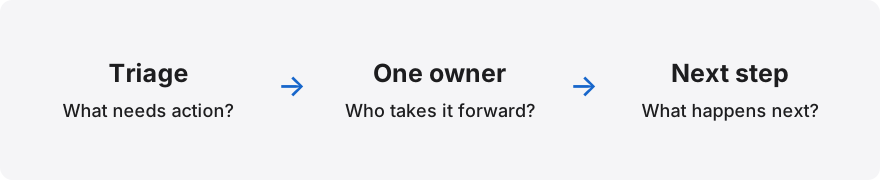
Draw three separate boundaries
Begin with identity: the individual account used to sign in. Then record the company role: ordinary team member, administrator or another authorised role. Finally, list the mailboxes and conversations the person needs for their work.
Keep product-wide administration separate from company administration. Someone who operates the software should not automatically become a member of every customer inbox. Equally, a company administrator may need to configure people without reading every mailbox.
Create a small access register
Use a controlled register that your administrators can review. It should explain why access exists, not merely list names. Choose a review date and identify who is responsible for keeping the record current.
- Person and individual sign-in account.
- Company role and reason for that role.
- Named inboxes required for current work.
- Administrator who approved the access.
- Review date and removal trigger.
Test allowed and denied views
Ask an ordinary test member to open a permitted inbox and perform the agreed task. Then test another inbox that the same person should not access. Check direct links as well as menus; hiding a navigation item is not an access control.
Use synthetic conversations rather than real customer mail. A practical acceptance record can say which role was used, which resource was tested and what happened. Avoid saving tokens or credentials in screenshots and reports.
Understand provider permissions
For Google Groups, review who can discover the group, view conversations, join and manage membership. Those settings answer different questions and should not be treated as a single privacy switch.
For delegated Gmail, check the capabilities the delegate receives and who can remove access. Confirm current provider behaviour before announcing a policy to the team. A setting that worked in one mailbox may not be the approved arrangement for another.
Plan account changes and departures
An access review should cover job changes as well as people leaving the company. A colleague who moves from customer support to billing may need different inboxes and different administration permissions.
Use a checklist that removes obsolete access, transfers open requests and confirms the new arrangement. Test the result after making the change. Retain whatever audit evidence your company policy requires without creating a second store of customer messages.
Treat domain recognition as guidance
A matching company email domain can help direct a person to an administrator. It must not automatically grant membership. Domains can be shared across several business units, and company administrators may use another domain.
Letterlo uses reviewed company access. If your company is already recognised during signup, follow the administrator contact guidance. Approval, company membership and mailbox setup are separate steps; ask the onboarding team to confirm the exact scope before using real customer conversations.
Questions teams ask
Does Google sign-in automatically grant inbox access?
No. Authentication and authorisation are separate. Company membership and the relevant inbox permissions still need to be established.
Can we use one shared password?
Use an approved arrangement that identifies each person instead. Review provider delegation or group membership with your Workspace administrator.
How often should access be reviewed?
Choose a cadence appropriate to your company and review it whenever someone joins, changes duties or leaves. This checklist does not prescribe a compliance standard.
Sources and further reading
Primary documentation checked on 2026-11-07. Provider features and availability can change.
Topics & hashtags
Explore Letterlo
Letterlo is being introduced through reviewed company access. Mailbox setup and integration availability are confirmed separately during onboarding.
Request company access