Start with the work, not the address
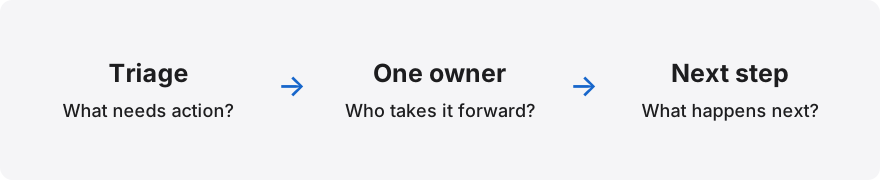
Write down what happens after a customer emails your team. Who notices the message? Who decides what to do? Where does the next person find the latest promise? An address such as support@example.com does not answer these questions by itself.
For example, a small service team may have one person answering most messages and another covering leave. A sales team may need several people to handle different enquiries. Those teams can share the same-looking address while needing different access and ownership rules.
Understand the three choices
Google Groups can distribute messages to a group. Its Collaborative Inbox features also support conversation assignment and completion workflows, subject to the right group configuration and permissions. Review that setup with the person who administers your Workspace.
Gmail delegation gives another person access to manage an existing mailbox. Google documents reading, sending and deleting email as delegated capabilities. A separate administrator shared-inbox setup is also rolling out in phases, so confirm what appears in your own Admin console.
A shared-inbox workflow adds operating decisions around the mail: who owns the request, what the team is waiting for and when someone should check it again. Evaluate those decisions separately from the provider mechanism that delivers messages.
Run a small comparison exercise
Take a fabricated enquiry and follow it through your proposed process. Let one colleague begin the reply, then hand it to someone else. Ask the second colleague to explain what has already happened without opening a separate chat.
Repeat the exercise with an absent owner, a customer follow-up and a request that needs manager input. Notice where people have to guess. A useful setup should make the next action easy to find without giving every colleague administrator access.
- Message access: can the right people find the conversation?
- Ownership: can colleagues identify one accountable person?
- Handover: does the next person have the promise and due time?
- Access removal: can a departing colleague be removed cleanly?
Check permissions before moving customer mail
Use synthetic messages for the first trial. Keep customer addresses, attachments and commercial details out of screenshots and demonstrations. Confirm who can read the mailbox, manage members and change organisation settings.
Also test the negative case. A colleague outside the team should not see the sample conversation. Successful access for an administrator does not prove that an ordinary member has the right experience.
Choose a pilot you can review
Pick one inbox and a short review period. Record a starting picture: unresolved requests, messages without an owner and handovers that need clarification. Use the same definitions at the end of the trial.
Letterlo currently accepts company access requests for review. Treat any mailbox integration or rollout scope as something to confirm during onboarding. An approved sign-in is not evidence that every provider feature or team workflow has been configured.
Questions teams ask
Is an email alias a shared inbox?
An alias is an address, not a complete team process. Confirm which mailbox receives it and how colleagues get authorised access. Google notes that an alias cannot itself have Gmail delegates.
Does Google Groups support assignment?
A group configured as a Collaborative Inbox can support assigning conversations when the required permissions are present. Check the current Google instructions and your own group settings.
Should everyone be an administrator?
No. Define ordinary handling, inbox administration and company administration separately. Give each person the permissions needed for their work.
Sources and further reading
Primary documentation checked on 2026-11-07. Provider features and availability can change.
Topics & hashtags
Explore Letterlo
Letterlo is being introduced through reviewed company access. Mailbox setup and integration availability are confirmed separately during onboarding.
Request company access